
What Is a Worcester County Court Docket
A docket is the court's official log of a case. It lists every event in order, from the first filing to the last entry. Each line is a docket entry. A docket entry can mark a complaint filed, a summons issued, an arraignment, a motion, a hearing, an order, a judgment, or a continuance. The docket does not hold the full text of those papers. It is a timeline, not the paper file itself. Think of it as a table of contents for the case. The clerk adds a new line each time something happens. That is what makes the docket the quickest way to see where a case stands today.
The full case record is different. It holds the actual documents: the complaint, the motions, the affidavits, the orders, and the judgment. A Worcester County docket points to those papers and tells you when each one was filed, but it may not show the document image online. For the text of a motion or an order, you often need to ask the clerk or visit the court. So the docket answers "what happened and when," while the full file answers "what does the paper say." Both come from the same court department, yet they are pulled in different ways.
Massachusetts keeps dockets by court department, not by county. A Worcester Superior Court criminal docket, a Worcester District Court misdemeanor docket, and a Worcester Probate and Family Court divorce docket all sit in separate departments. Each department runs its own clerk or register office. There is no one countywide docket counter. That split matters, because the first step in any docket search is picking the right court department before you ever type a name.
How to Find Worcester County Dockets Online
The main public path for Worcester County court dockets is MassCourts, the eAccess case-search system run by the Massachusetts Trial Court. It covers many departments from one starting page, so a felony in Superior Court and a small claim in District Court can both be found there. For daily court calendars, the Trial Court also publishes daily lists through a separate calendar tool. Start at the official MassCourts eAccess portal for case dockets, and use the Mass.gov dockets and calendars hub for daily lists.
A docket number gives the cleanest result. If you do not have one, the full legal name of a party works, though common names return long lists. Knowing the rough filing year and the Worcester division helps you narrow fast.
- Open the MassCourts eAccess portal and pick the court department if the page prompts for one.
- Choose a search type: name search, case or docket number search, or daily calendar search.
- Enter the docket number when known, or the party name when it is not, then add the Worcester division.
- Review the result list, open the case summary where public access is allowed, and read the docket entries in order.
The mass.gov dockets hub gathers the official search tools and the instructions for using them in one place. A quick read of the official how to search court dockets instructions clears up which tool fits which task before you start.
The Massachusetts hub for court dockets, calendars, and case information links to both the case-search portal and the daily-list calendars. The screenshot below shows that official starting point, which you can open at the search court dockets, calendars, and case information page.
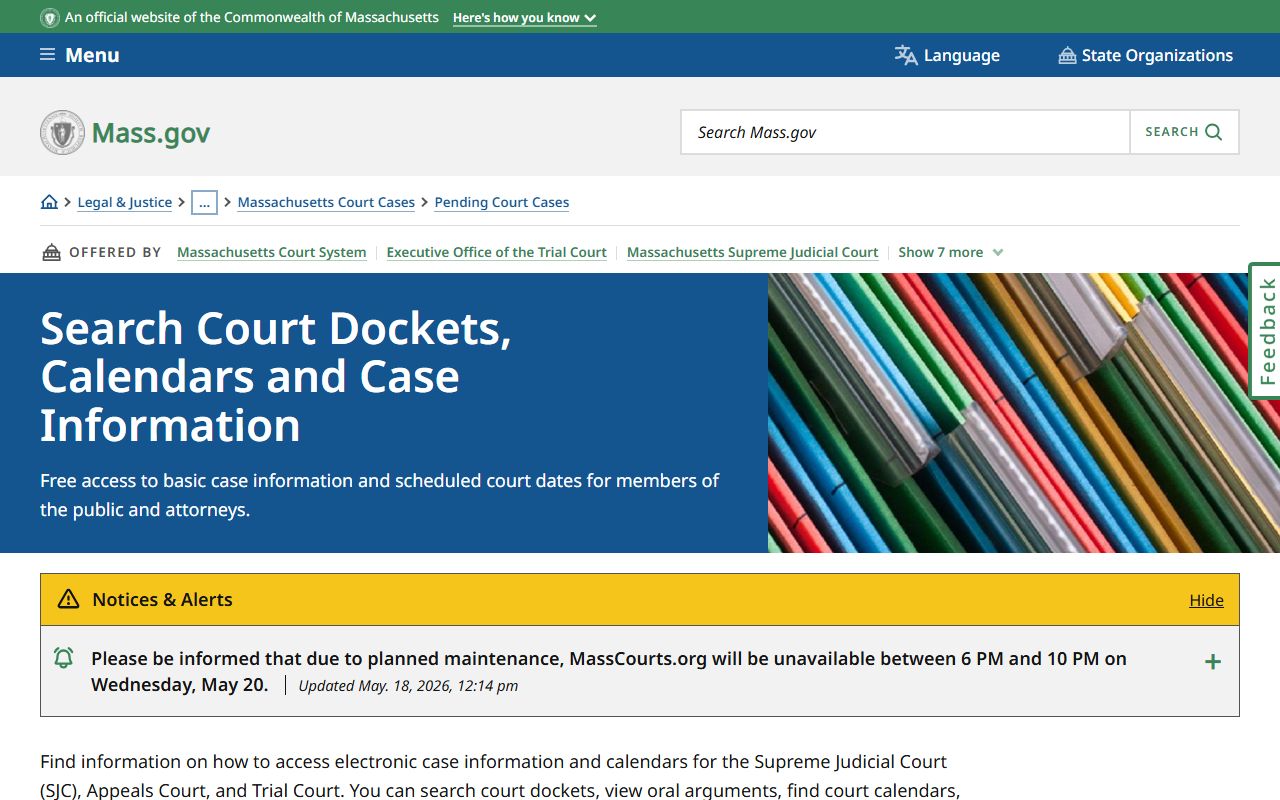
From that hub you can jump to MassCourts for a specific case docket or to the daily lists for a given Worcester court session, which keeps a search from starting in the wrong department.
Daily Lists vs. Case Docket Search
There are two ways to reach Worcester County docket information, and they answer different questions. A case docket search pulls the full event history for one case. You search by docket number or party name, then read the entries from the first filing forward. A daily list, by contrast, shows what a Worcester court session is hearing on a single day. It is the court calendar. You pick a department, a division, and a date, then view the public list of cases set for that session.
Use the case docket search when you want a case history. Use the daily list when you want to know what is on the schedule, when a hearing is set, or which session a case sits in. The daily-list tool asks for fewer fields, since it builds the list from the court and the date rather than from one case. The official instructions explain how to read both. The Trial Court daily-list search uses these fields.
| Field | Required | Notes |
|---|---|---|
| Court Department | Yes | The Trial Court department, such as District or Superior Court. |
| Court Division | Yes | The Worcester County division for that department. |
| Date | Yes | The calendar date for the daily list. |
| Search / View list | n/a | Opens the public daily list for that session. |
| Download / print | Optional | Some daily lists open as a PDF or a web listing. |
The page that walks through both tools is worth a look before a first search. Read the official how to search court dockets guide, shown below, for the step order.
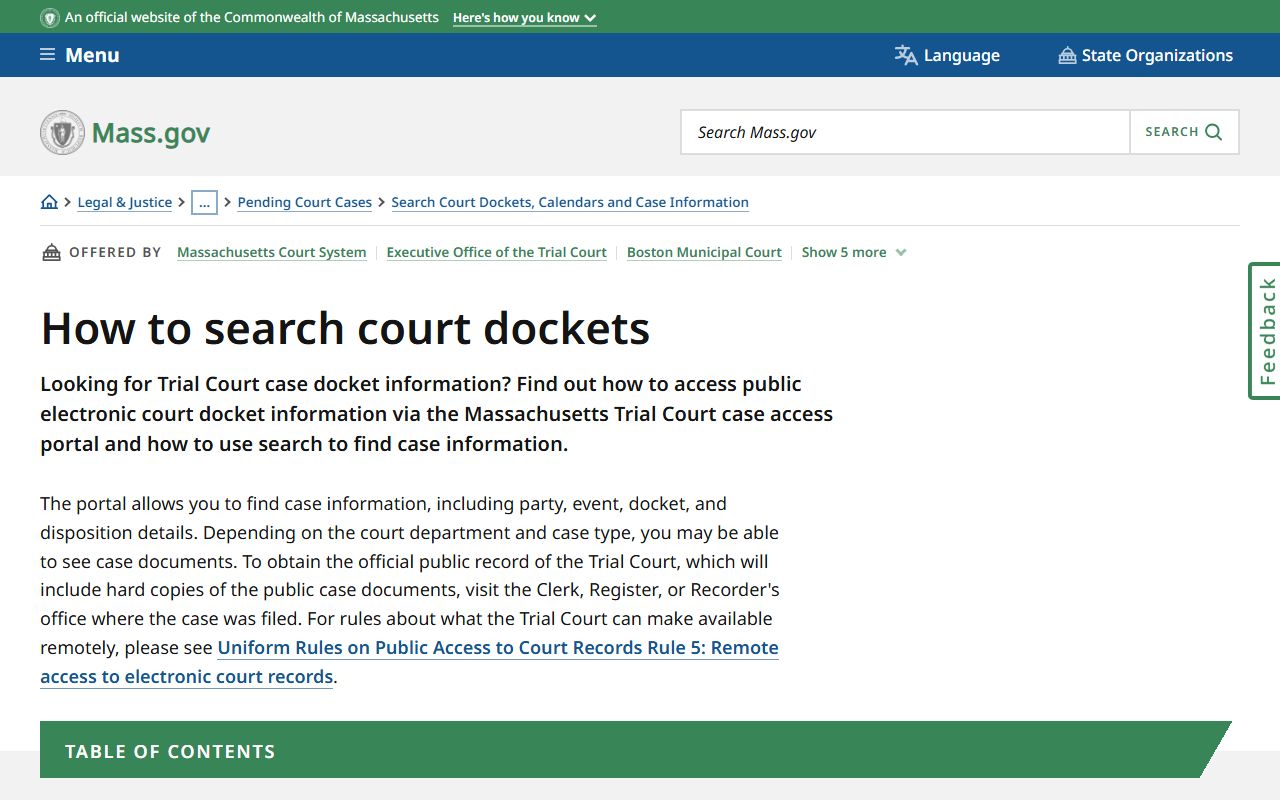
The instructions also flag which case types are excluded from public view, so you know up front when a docket will not appear online.
Sample Worcester County Docket Entry
Each docket entry is one line in the case timeline. Read left to right, the line tells you when something happened, what it was, who did it, and whether a paper is attached. A case summary at the top names the parties, the court, the case type, and the status. The entries below it run in date order. The table sums up the fields you see on a public Worcester County docket entry and what each one shows.
| Field | What It Shows |
|---|---|
| Entry Date | The date the clerk logged the event on the docket. |
| Event Type | The action, such as complaint filed, summons issued, arraignment, motion, hearing, order, or judgment. |
| Party Filing | Who took the action, such as plaintiff, defendant, Commonwealth, petitioner, or the court. |
| Document Link | A link to the paper where the image is public; many entries show no image and require a clerk copy. |
A full case docket strings these lines together. Common entries include complaint filed, return of service, arraignment, pretrial conference, motion filed, opposition, hearing held, order entered, judgment, disposition, continuance, default, dismissal, trial assignment, a probation event, and a notice of appeal. Reading them in order shows the whole arc of the case.
Note: A public docket entry is not a certified copy, so request a certified docket or judgment from the clerk when a court or agency needs an official record.
Courts That Publish Dockets in Worcester County
Worcester County cases run through several Trial Court departments, and each one keeps its own dockets. The downtown court complex at 225 Main Street in Worcester houses Superior Court, District Court, and the Probate and Family Court, while District Court divisions in towns across the county handle their local areas. Many of these dockets reach the public through MassCourts and the daily-list calendars, though access varies by department and some case types are limited by rule.
- Worcester Superior Court - felony criminal dockets, larger civil suits, and equity matters.
- Worcester District Court - misdemeanors, small claims, traffic, and lower-value civil dockets, plus the Fitchburg, Leominster, Clinton, Gardner, Dudley, Milford, Uxbridge, Westborough, and East Brookfield divisions.
- Worcester Probate and Family Court - divorce, custody, support, estate, and guardianship dockets.
- Central Housing Court, Worcester Session - eviction and housing-code dockets.
- Worcester Juvenile Court - youth and child-welfare dockets, many of which are closed to the public by statute.
Juvenile, adoption, and sealed matters generally do not appear in an ordinary public docket search. The court hierarchy and the full division list, with addresses, are covered on the Worcester County District Court page. For the broader case-file path, the Worcester County court records page walks through each department.
Docket vs. Full Case Record
The difference between a docket and a full case record trips up a lot of first-time searchers. The docket is the list of events. The full case record is the stack of documents those events produced. A Worcester County docket might show that a motion was filed on a given date; the full record holds the motion itself, the exhibits attached to it, and the judge's order. One is a map, the other is the territory. For most quick checks, the docket is enough. For a legal review or for evidence, you need the documents.
| Docket | Full Case Record | |
|---|---|---|
| Format | List of dated entries | Full documents and images |
| Access | Often online and free | May require a clerk copy fee or a visit |
| Use | Track case progress and dates | Legal review, evidence, certified copies |
The public portal is not a full document library. Many filings show as summaries rather than scanned images, and older paper files may not be online at all. When the docket points to a paper you actually need, the next step is the clerk's office for that department.
How to Read a Worcester County Docket
Docket language can read like code. A few terms come up again and again, and knowing them saves a lot of guessing. The entries below define the words you are most likely to meet on a Worcester County criminal or civil docket.
- Arraignment
- The first criminal court event, where the charge is read and bail or release is set.
- Continuance
- A postponement of a court event to a later date.
- Disposition
- The current or final outcome of a charge or case.
- Default
- A failure to appear or respond, which can trigger a warrant.
- Judgment
- The final court decision that resolves the claims.
Read the disposition before you draw any conclusion. A charge or an arrest is not a conviction. A case can open on one charge and end in a dismissal, a not-guilty finding, or a different result entirely, and the docket should show that. A disposition marked "dismissed with prejudice" usually cannot be refiled, while "without prejudice" may be refiled if allowed. For arrest and charge detail, the Worcester County criminal records page goes deeper, and copies of any entry come from the Clerk of Courts.